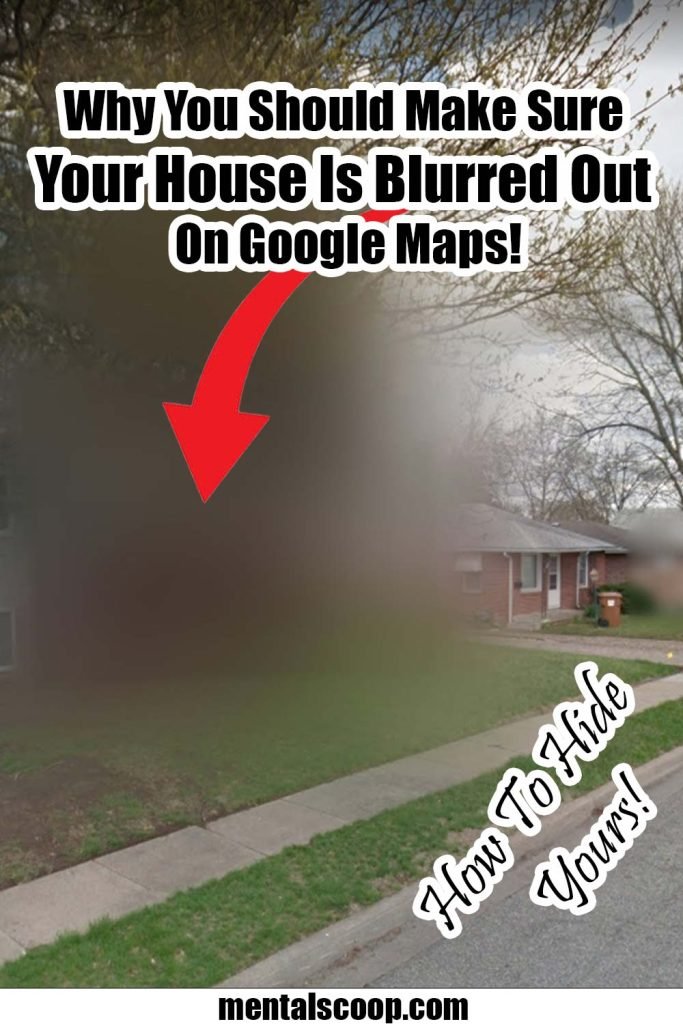
In today’s digital age, the internet has become an integral part of our lives. With just a few clicks, we can access a wealth of information, including maps and satellite imagery provided by Google Maps. While this service is undeniably useful for navigation and exploring new places, it also raises concerns about privacy and security.
In this article, we will delve into the reasons why you should consider blurring out your house on Google Maps, safeguarding your personal space and ensuring peace of mind.
Personal Privacy in the Digital Age
In an era where personal information is more accessible than ever, safeguarding our privacy has become paramount. Google Maps’ street view feature enables users to virtually explore neighborhoods and even peek inside homes.
While this technology is convenient for those seeking directions, it can also expose sensitive information, such as the layout of your property and potential security vulnerabilities.
Protection Against Burglary and Intrusion
Unblurred images on Google Maps may inadvertently reveal the contents of your home, including expensive items and security systems. This information could attract malicious intent, making your house a potential target for burglars and intruders.
Blurring out your residence mitigates this risk, as it conceals such valuable details from public view.
Preventing Unwanted Attention
Whether you’re a public figure or simply value your privacy, keeping your house blurred on Google Maps helps prevent unwanted attention from curious individuals or overzealous fans.
By taking this step, you can maintain a sense of normalcy in your daily life without the fear of being constantly monitored.
Shielding Your Children and Family Members
The safety of your family members, especially children, is of utmost importance. With Google Maps showing unblurred images, it becomes easier for anyone with internet access to locate and identify your loved ones, potentially putting them at risk.
Blurring your home protects your family’s anonymity and provides an additional layer of security.
Avoiding Online Stalking and Harassment
In today’s hyper-connected world, online stalking and harassment have become increasingly prevalent. By blurring your house on Google Maps, you reduce the likelihood of being targeted by individuals with malicious intent, thereby maintaining your online safety and peace of mind.
Preserving Your Property Value
Unwanted exposure on Google Maps can have a negative impact on property values. Potential buyers or tenants may be discouraged if they find that detailed images of your house are freely available online. Blurring your property helps preserve its allure and avoids any undesirable consequences on its market value.
Complying with Legal and Regulatory Requirements
Depending on your location, there may be specific laws and regulations regarding the display of property images online. Blurring out your home on Google Maps ensures compliance with these rules, helping you avoid potential legal issues and fines.
Protecting Your Home-Based Business
For entrepreneurs running a business from home, blurring your house on Google Maps is crucial. Keeping your business location private shields you from competitors and enhances your overall security.
Safeguarding Sensitive Locations
Certain individuals, such as government officials or those involved in sensitive professions, need additional protection for their locations. Blurring your residence on Google Maps adds an extra layer of confidentiality, safeguarding such individuals and their roles.
Reducing Environmental Impact
Blurred images on Google Maps can also contribute to reducing your environmental footprint. By limiting the amount of publicly available data about your home, you discourage unnecessary travel and promote a more sustainable lifestyle.
Supporting Digital Ethical Practices
By opting to blur your house on Google Maps, you contribute to the promotion of ethical practices in the digital world. Respecting others’ privacy is a crucial aspect of responsible internet use, and taking this step sets an example for others to follow.
How to Blur Your House on Google Maps
To ensure your house is blurred out on Google Maps, follow these simple steps:
- Visit the Google Maps website or open the app on your mobile device.
- Locate your house using the search bar or by manually navigating to the desired location.
- Click on the “Report a Problem” option at the bottom right corner of the screen.
- Select “Privacy Concerns” and then “My Home.”
- Follow the on-screen instructions to submit your request for blurring.